
POWR Chat vs WhatsApp/Telegram Chat Widgets (Small Business Guide)
A small-business comparison: POWR Chat vs a messenger handoff widget (WhatsApp/Telegram). Staffing, reply speed, mobile UX, and the fastest path to launch.
The short answer
If you’re a small business, your “best chat widget” is the one that gets real replies without creating a new operational burden.
Use this as the decision rule:
- If you want a chat plugin that can route conversations via channels like Messenger/WhatsApp/Telegram and you’re already comfortable managing messages there, POWR Chat can fit.
- If you want the fastest path to replies with minimal setup, a messenger handoff widget (WhatsApp/Telegram) is usually the simplest.
GizmoSauce specializes in premium, performance-first launcher widgets for WhatsApp and Telegram (plus other channels).
What POWR Chat is (based on their public docs)
POWR markets a chat widget that can connect your site visitors to your existing chat channel—commonly via Facebook Messenger, and in their materials they also mention WhatsApp and Telegram as chat options.
This approach is useful when you want to:
- Keep conversations in a messaging inbox you already use
- Add chat without building a custom support stack
POWR also highlights automation like auto-responses for common questions in their live chat materials.
What GizmoSauce WhatsApp + Telegram widgets do
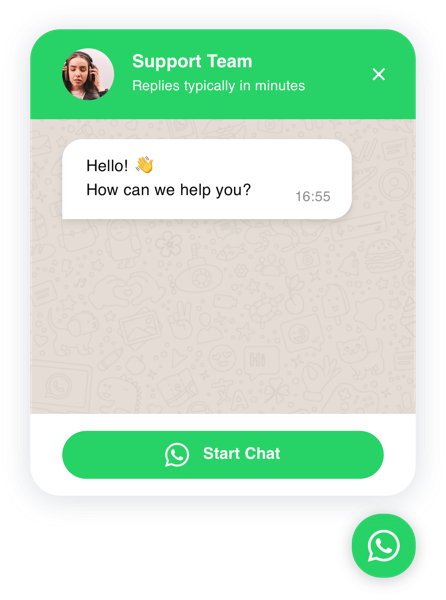
GizmoSauce WhatsApp and Telegram widgets are designed as messenger handoff launchers:
- WhatsApp deep link (
wa.me) with optional pre-filled message - Telegram link (
t.me) to open a chat - Optional “mini chat preview” panel (agent name + welcome message) to increase clicks
- Triggers (immediate / delay / scroll) and safe placement options
The goal is simple: visitors click once and start a conversation in an app they already have—especially on mobile.
POWR Chat vs GizmoSauce WhatsApp/Telegram (practical comparison)
POWR Chat (in general)
- Usually quick to set up (plugin workflow).
- Messages go into the channel(s) you connect.
- Mobile UX depends on the channel + the plugin’s UI.
- Brand fit varies by template/theme controls.
GizmoSauce WhatsApp / Telegram
- Quick setup: editor → Save & Get Code → paste snippet.
- Messages go into WhatsApp/Telegram directly (messenger handoff).
- Mobile-first handoff to native apps.
- Premium presets + brand color controls (and “Add My Style” where available).
Bottom line: if your goal is “get messages fast,” messenger handoff is usually the highest-leverage path for small teams.
The small-business setup we recommend (fast wins)
Most small business sites can improve conversions with 2–3 widgets:
-
Trust: Google Reviews (/get-widget/google-reviews)
-
Replies: WhatsApp (/get-widget/whatsapp-chat) or Telegram (/get-widget/telegram-chat)
-
Fallback (optional): Contact Form (/get-widget/contact-form) if you can’t respond in real time.
Try GizmoSauce in 5 minutes
- Open the editor:
- WhatsApp: /get-widget/whatsapp-chat
- Telegram: /get-widget/telegram-chat
- Choose a style preset and set your destination.
- Click Save & Get Code.
- Paste the snippet into your site builder and publish.
Many builders don’t run scripts in preview mode—always test on a published staging/live URL.
FAQ
Does POWR Chat support WhatsApp and Telegram?
Is a WhatsApp/Telegram widget better than “live chat”?
Will adding chat hurt performance?
Product updates
Occasional widget launches, design notes, and growth ideas. No spam.