
A good age verification widget should satisfy compliance requirements without making your site feel broken or outdated.
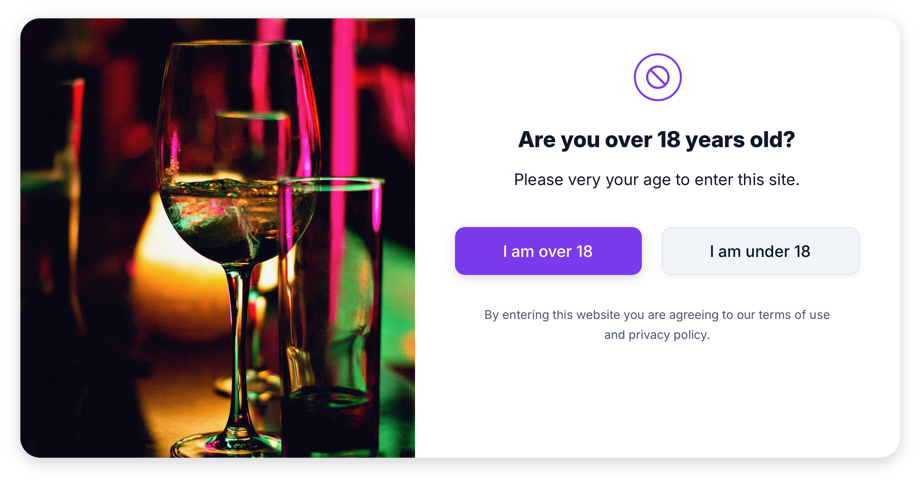
1) Pick your verification mode
In GizmoSauce Age Verification, you can choose:
- 2 buttons (fastest path): "I am over 18" / "I am under 18"
- Birthday verification: date of birth input flow
Use button mode when you want minimal friction. Use birthday mode when policy requires stronger verification.
2) Configure deny behavior
Set an optional redirect URL for denied users (for example, a policy page, homepage, or legal notice).
- Editor: /get-widget/age-verification
3) Match your brand
The widget supports modern style controls:
- Image positions: left, right, top, bottom, center
- Overlay and blur controls
- Primary/secondary button styling
- Legal text and headline/subtitle copy controls
4) Keep it fast and stable
GizmoSauce embeds run in an isolated container and are tuned to prevent layout shift on load.
That means your age gate stays polished while protecting performance.
5) Publish and test
After embedding, verify on:
- Desktop and mobile breakpoints
- Your highest-traffic landing pages
- Any page where legal/compliance review is required
Start building now:
- Widget page: /widgets/age-verification
- Editor: /get-widget/age-verification